 Find
Find
Find tool searches object data from all objects in the element list and selects objects that match with the criteria. Tool can be accessed directly with Ctrl+F shortcut key.
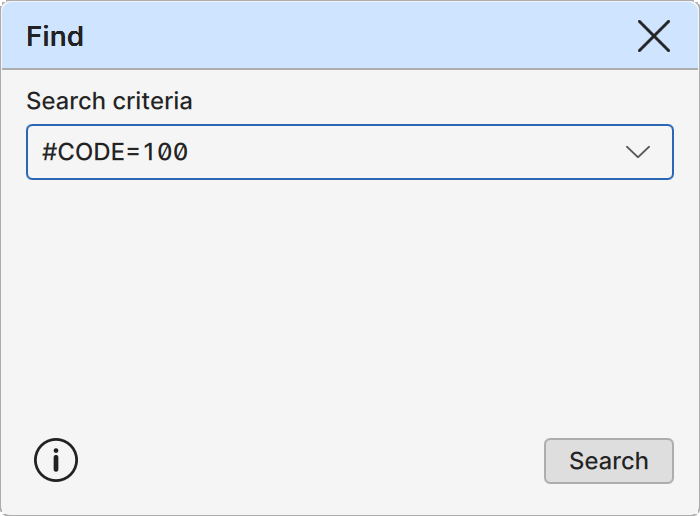
Search criteria
Edit field for entering the search criteria. Drop-down list stores ten recently used entries with the most recent at the top.
Search
Button executes the given search. Works also with the Enter key.
Search rules
The search criteria is composed from three parts: data id, comparison operator and searched values.
Data id: Data id may be object attribute or macro. Attributes are values stored with the object (e.g. MATERIAL) and macros are functions that retrieve information from the object (e.g. #LENGTH). Macros always start with character #. Note that ids are case-sensitive.
Operator: Comparison operator may any of following: equality (=), inequality (!=), lesser than (<), greater than (>), lesser or equal (<=), greater or equal (>=). String comparison uses natural sort order.
Values Value may be single value (e.g. 121), comma separated list of values (e.g 121,122,123) or value range (e.g. 121-123). Search matches if any of the values match object data. Asterisk (*) character matches all non-empty values. Object data values can be examined with the Properties tool.
Macros
Macros are common way for accessing object info.
Object data
#CATEGORY Object category code.
#FEATURE Object feature code.
#POINTID Point id value.
#LINEID Line id value.
#TEXT Text string.
Drawing data
#SIZE Symbol or text size.
#WIDTH Line width.
#STYLE Point symbol or line style.
#COLOR Object RGB color.
Geometry data
#X, #Y, #Z Object coordinates.
#DXY, #DXYZ Line section 2D and 3D lengths.
#LENGTHXY, #LENGTH Line 2D and 3D lengths.
#COUNT Line point count.
Examples
Some search examples:
#FEATURE=100 Finds objects with feature code 100.
#COLOR=FF0000 Finds objects with red color value.
#COUNT>=10 Finds lines with ten or more points.
#Z=10.0-12.0 Finds objects with elevation between 10.0 and 12.0.
DIAMETER=0.5 Finds objects with DIAMETER attribute value 0.5.
MATERIAL!=Concrete Finds objects with MATERIAL attribute value other than Concrete.
DEPTH=* Finds object with non-empty DEPTH attribute value.
DEPTH= Find object without DEPTH attribute value.