 Volume calculation
Calculates volumes between two surfaces or to a given constant level. Used method is a point grid with user defined interval. For each grid position, points are created to both elevations and volume is calculated between them.
The result file contains created grid points, copies of possible border lines and calculation results as texts. Each grid point has SURFACE height as Z-coordinate. Upper point also contains the height difference as a point id. If border lines are used, they are copied to the result file with result values as attributes. Attribute names are formed from surface ids with prefixes ARE_ and VOL_. These contain calculated area and volume, respectively.
Total result values are also displayed in the dialog.
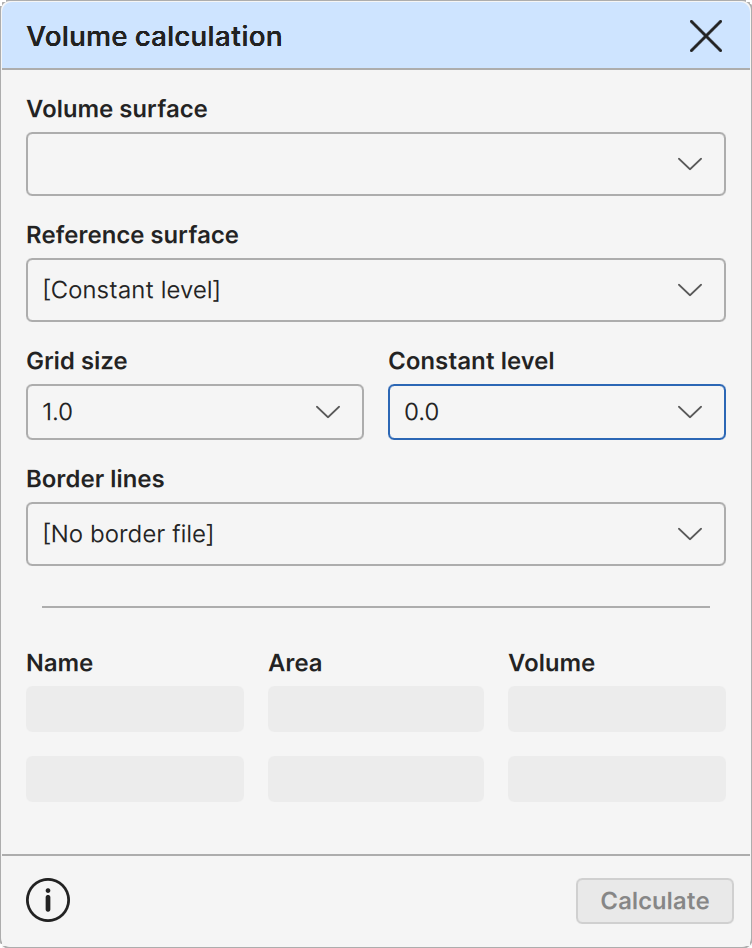
Volume surface
The first volume surface. The list contains all surface files in the element list.
Reference surface
The second volume surface or constant level definition. The list contains all surface files in the element list.
Grid size
Grid point interval in both directions. Smaller value gives more accurate results, but slows down calculation and increases the result file size. List contains some fixed default values and remembers few user defined values after them.
Constant level
Height of the constant reference level. In addition to default 0.0, list remembers last nine other used values.
Border lines
Calculation can be limited to inside of one or more closed lines. Volumes are calculated and displayed separately for each line. Total result is sum of these values.
The list displays all element list vector files containing closed lines. Note that the lines must have Line id attribute, because it is used for volume set names.
Results
Total calculation results. Surface id, area and volume is displayed for each surface. Note that the name of the volume is always upper surface id. For example, with surfaces A and B, Volume A is a sum of grid volumes where the surface A has higher elevation than surface B.
Grid points are colored either red or blue depending on the surface used to create them. Total volume result contains text (red) or (blue) after the name.
Calculate
Executes the calculation and creates new result file to the element list.